Features
Everything PhoneUs does.
A phone system, a customer record and billing, in one place. Here is all of it, with pictures of the real screens.
Calls in the browser, on a desk phone or on your mobile
Your team answers in a browser tab, on a desk handset, or on their own mobile when they are away from their desk. The caller never knows the difference.
- Answer, hold, mute, transfer and add people to a call, with a keypad for menus at the other end.
- Desk phones, and more than one per person if you need them.
- Carry a call onto your mobile when you step away, and set out of office so your calls ring your mobile, by hand or by your working hours.
- Call a colleague by their extension, and see where each person's calls are ringing right now.
- Test your microphone and speaker before a call, and get a warning during one if the line sounds bad.
- Emergency calls to 000 from a desk phone or the browser.
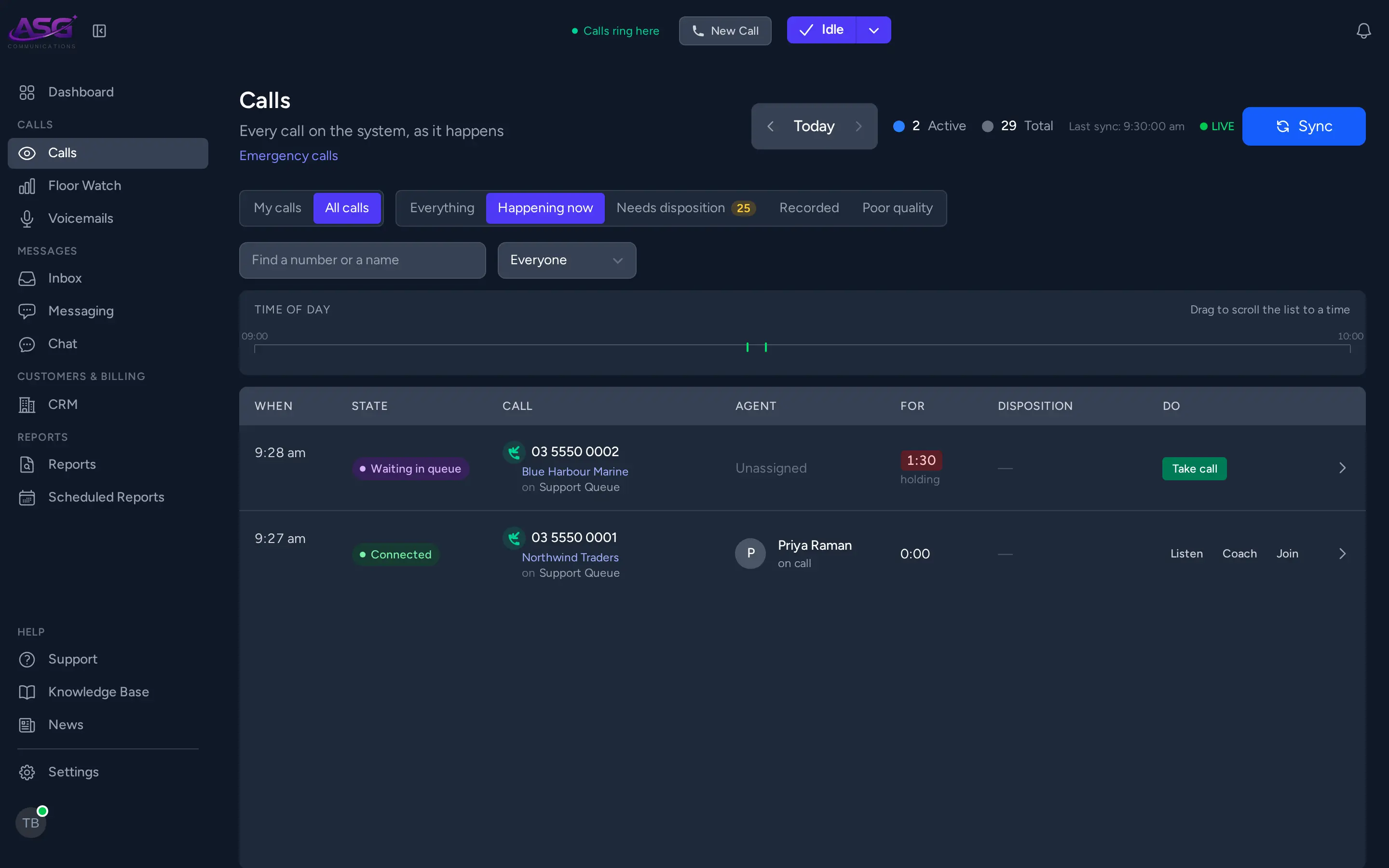
Menus, queues and opening hours
Decide what happens to every call before anyone picks up: who it rings, what the caller hears, and where it goes after hours.
- Phone menus (press 1 for accounts), recorded or spoken messages, and hold music.
- Spoken messages in a voice of your own.
- Queues that ring everyone at once, one at a time, or one group of agents and then the next.
- Callers told their place in the queue, and offered a call back instead of holding.
- Opening hours with a different path when you are closed.
- Voicemail for each person or team, with its own greeting and a written transcript.
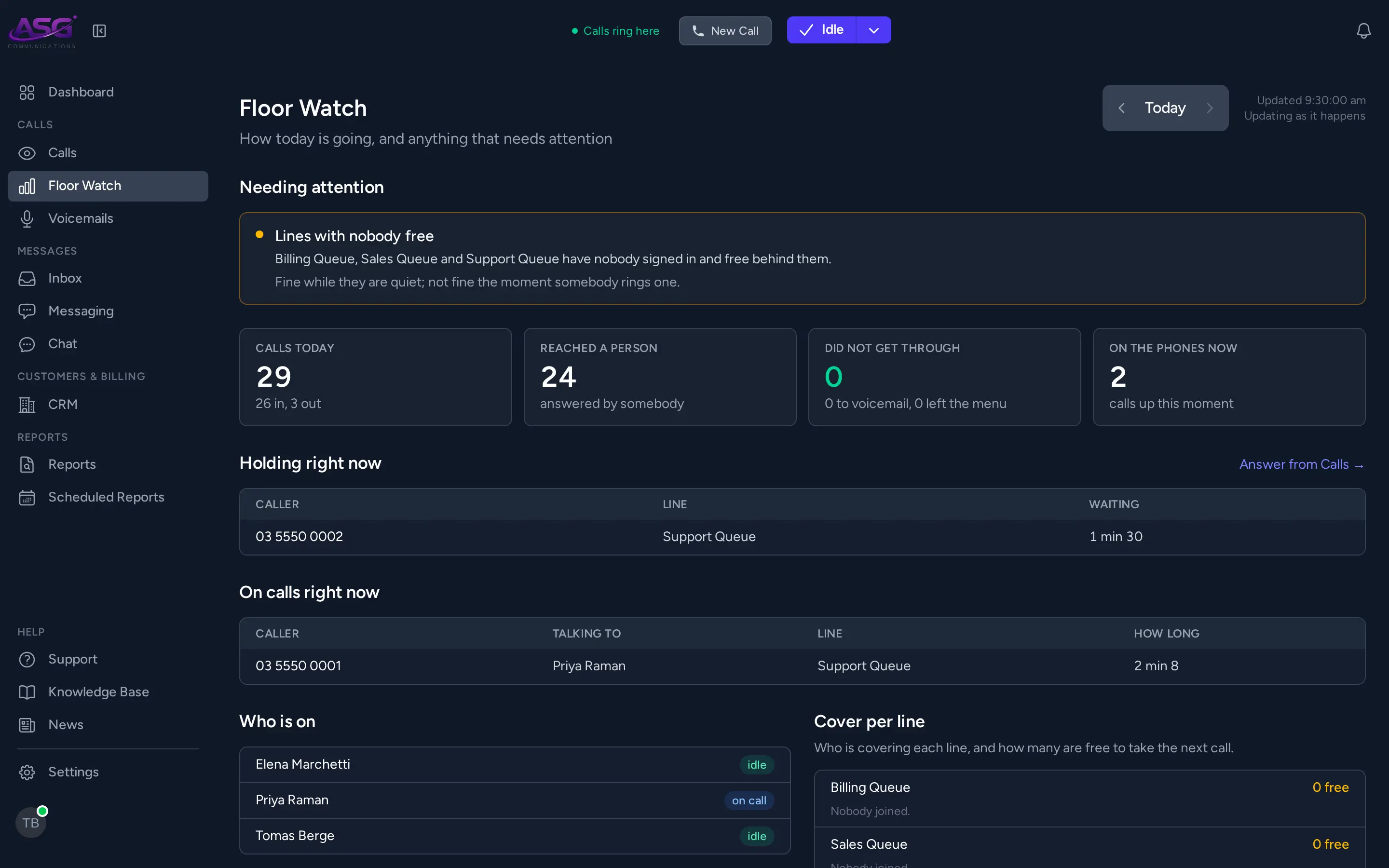
See the phones as they happen
Know how today is going without asking anyone: who answered, who is waiting, and which calls nobody got to.
- A dashboard of active calls, agents online, calls today and who is waiting.
- Floor Watch: how many calls reached a person, which need attention, and how long each line had nobody on it.
- Listen in on a live call, coach an agent so only they hear you, or join the call.
- See who is covering each queue, and set an offline colleague out of office from the dashboard.
- The calls you missed, so you can ring them back.
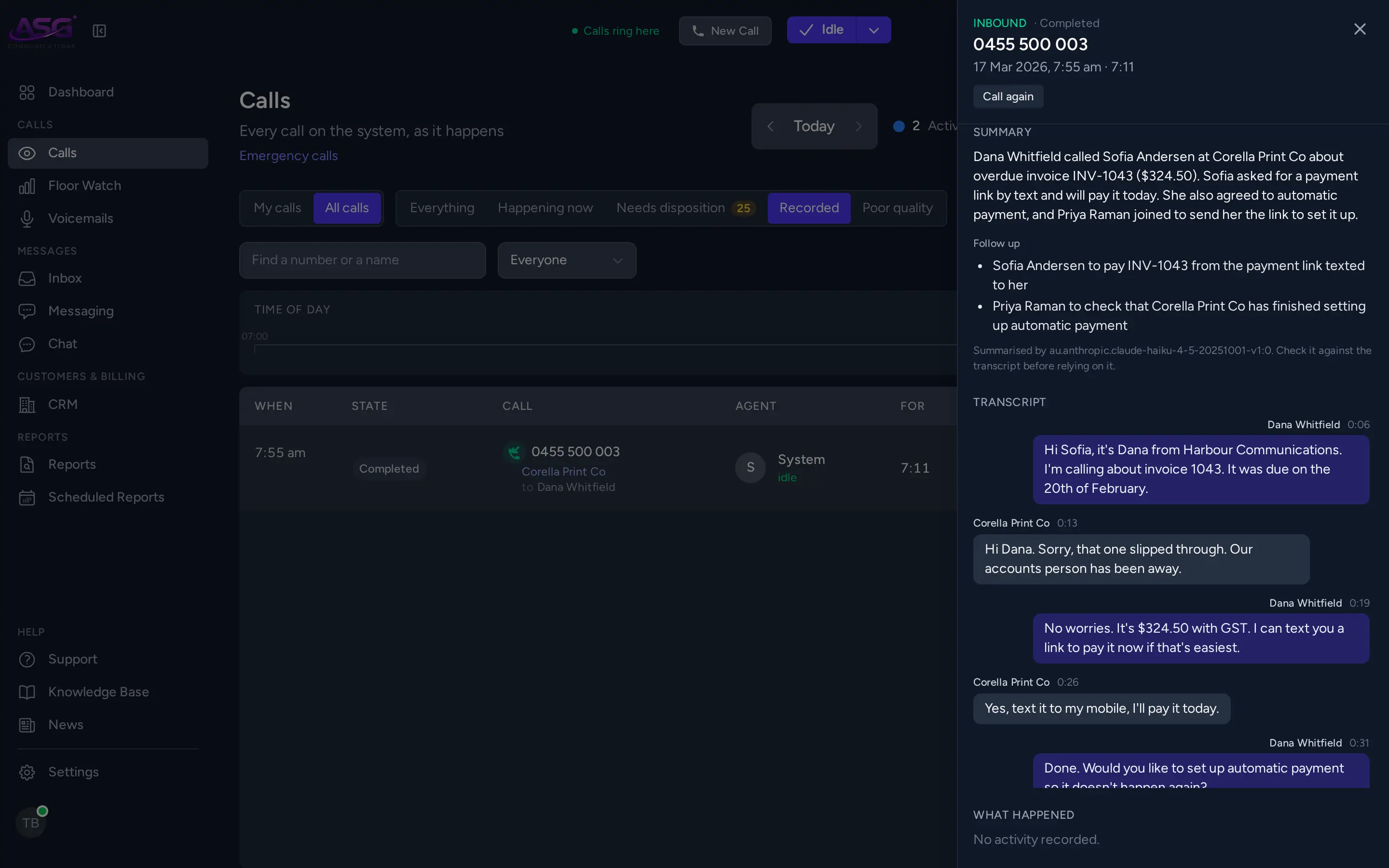
Recordings, transcripts and call summaries
Record what you need to, keep it as long as you decide, and read a call instead of listening to all of it.
- Record every call, or none, and tell callers you are recording.
- Pause the recording while a caller reads out card details.
- Choose how long recordings and call history are kept, in days, months or years.
- Transcripts that say who said what, for calls and voicemail.
- A short summary of each transcribed call, with any follow-ups. Summaries can be written without the call leaving Australia.
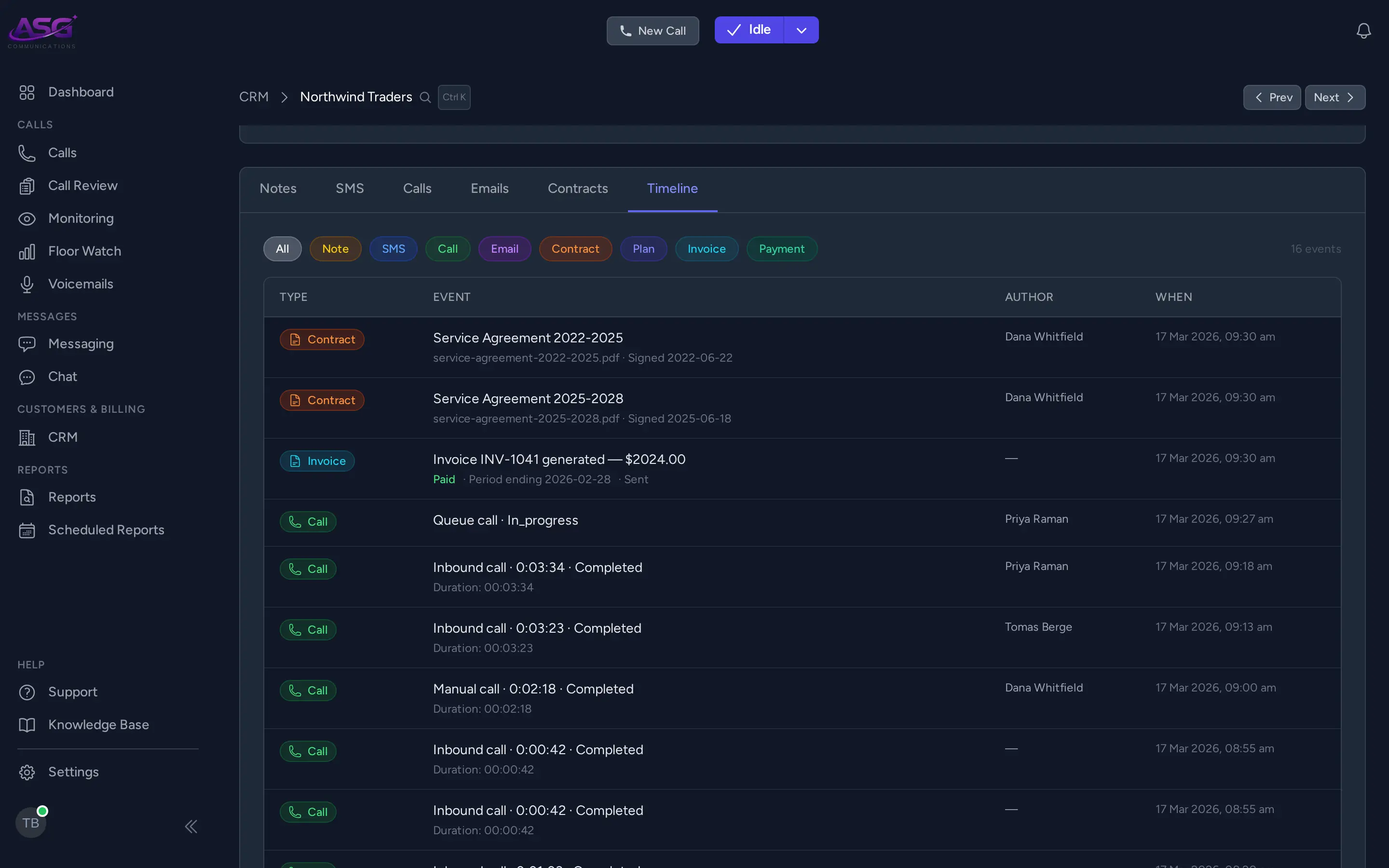
The customer record
Every call, recording, voicemail, text and email lands on the customer it belongs to, so the next person to pick up knows what happened last time.
- A timeline of everything that happened with a customer, in order.
- Contacts, notes, signed contracts, services and billing on the same record.
- Know who is calling as the phone rings, and save an unknown caller's number to a customer during the call.
- Open the caller's record in another system you use as the call comes in.
- Sales reps, with the customers each one looks after.
- Bring your customers in from a spreadsheet or from QuickBooks.
Segments and campaigns
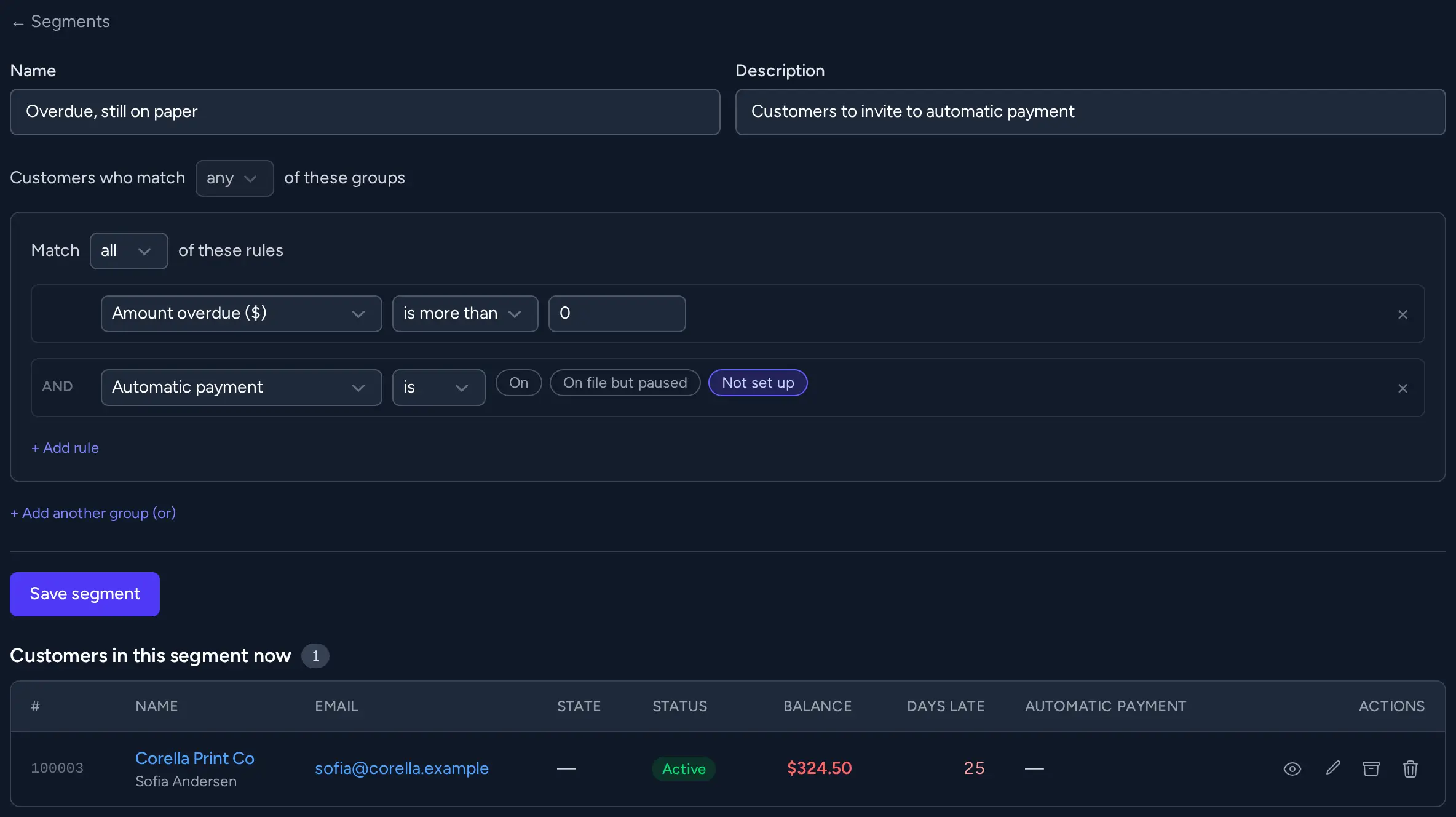
Save a list of customers by the rules that pick them, and text or email everyone on it in one go.
- Customer segments by state, status, category, sales rep, service, amounts owing and more. They keep themselves up to date.
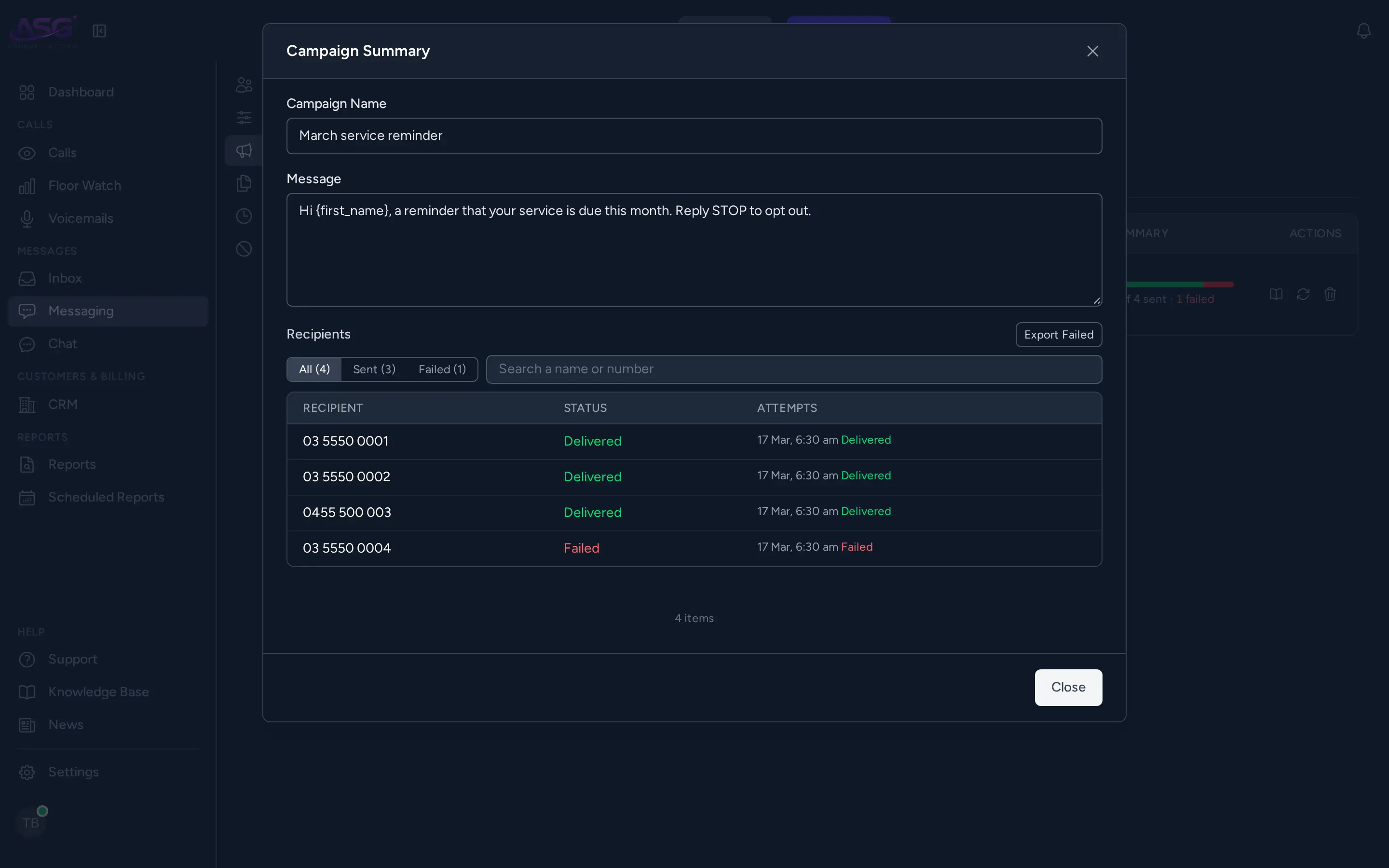
- SMS campaigns to a segment or to your own contact lists, with each customer's details filled in, kept to the sending hours you set.
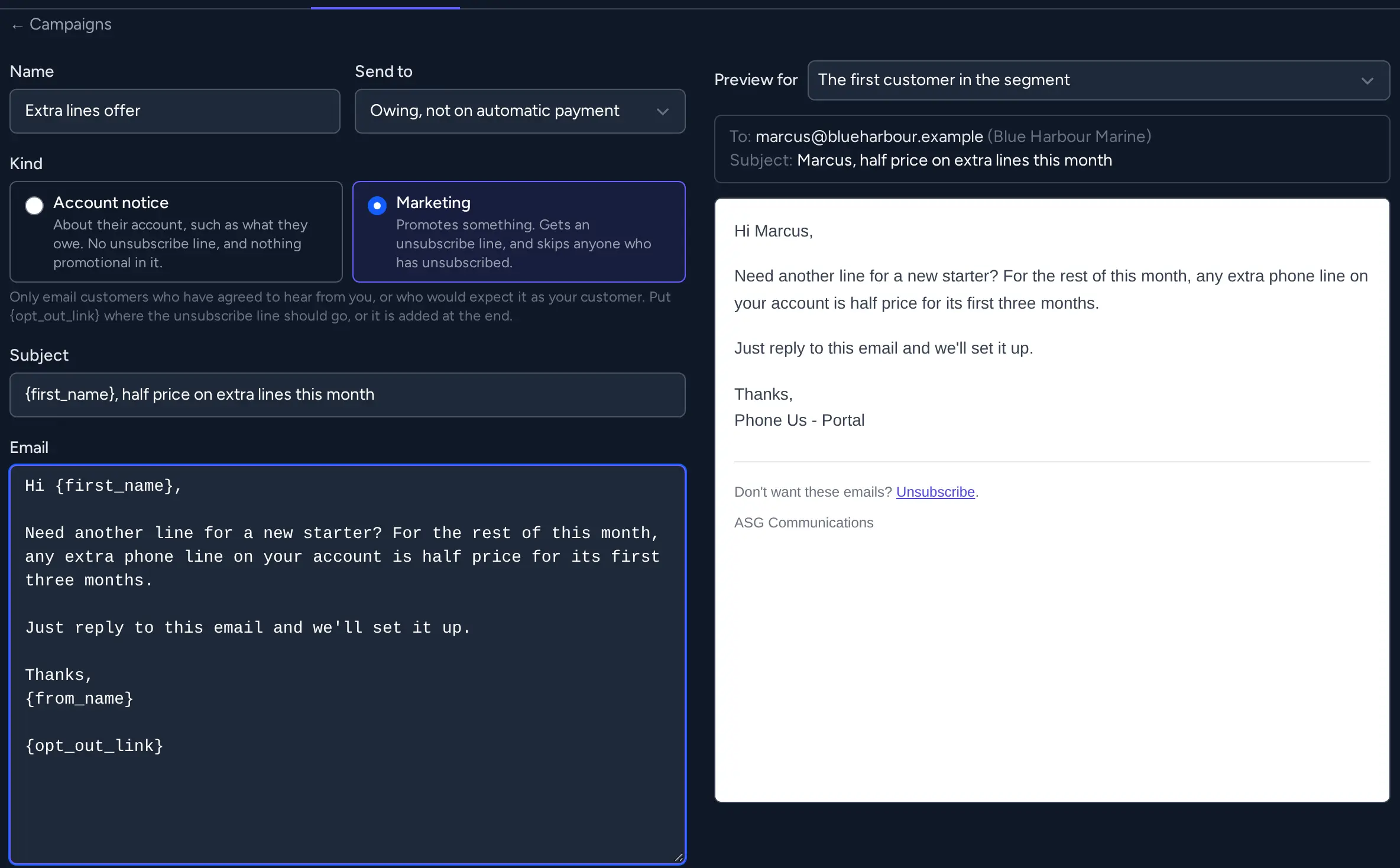
- Email campaigns to a segment, as an account notice or as marketing.
- Marketing emails carry an unsubscribe link and your business details, and anyone who unsubscribes is left out from then on.
- People who reply STOP to a text are left out of your campaigns.
Texts, email and chat
Customer messages arrive in one inbox, and your team can talk to each other without leaving PhoneUs.
- One inbox for texts and email from every customer, with what has been read and what is waiting.
- Send and receive email through your own Microsoft 365 mailboxes, and from your own domain.
- Send a text now or later, from templates you save, and see whether it was delivered.
- Text a customer a link to upload photos or documents. They arrive on their record.
- Write a message for somebody else to check and send.
- Chat with colleagues one to one or in groups, and with the people who support your system.
Billing and invoicing
Bill your customers from the same system that carries their calls: plans, call charges, invoices and getting paid.
- Plans, one-off and recurring charges, and calls and texts rated and added to the next invoice.
- Invoices emailed automatically with a Pay online button, and a record of whether each was opened.
- Automatic payment from a saved bank account or card, through Stripe or Square.
- Reminders, statements, credit notes, payment arrangements and early payment discounts.
- Invoices, payments and credit notes sent to Reckon or QuickBooks.
- More than one business invoicing from the same system, each with its own branding.
- Help for customers who are struggling to pay, as the hardship rules require.
Reports
Run a report on screen, export it, or have it emailed to you on a schedule. Each one says exactly what it counts.
- Call and queue activity, and the calls you are losing.
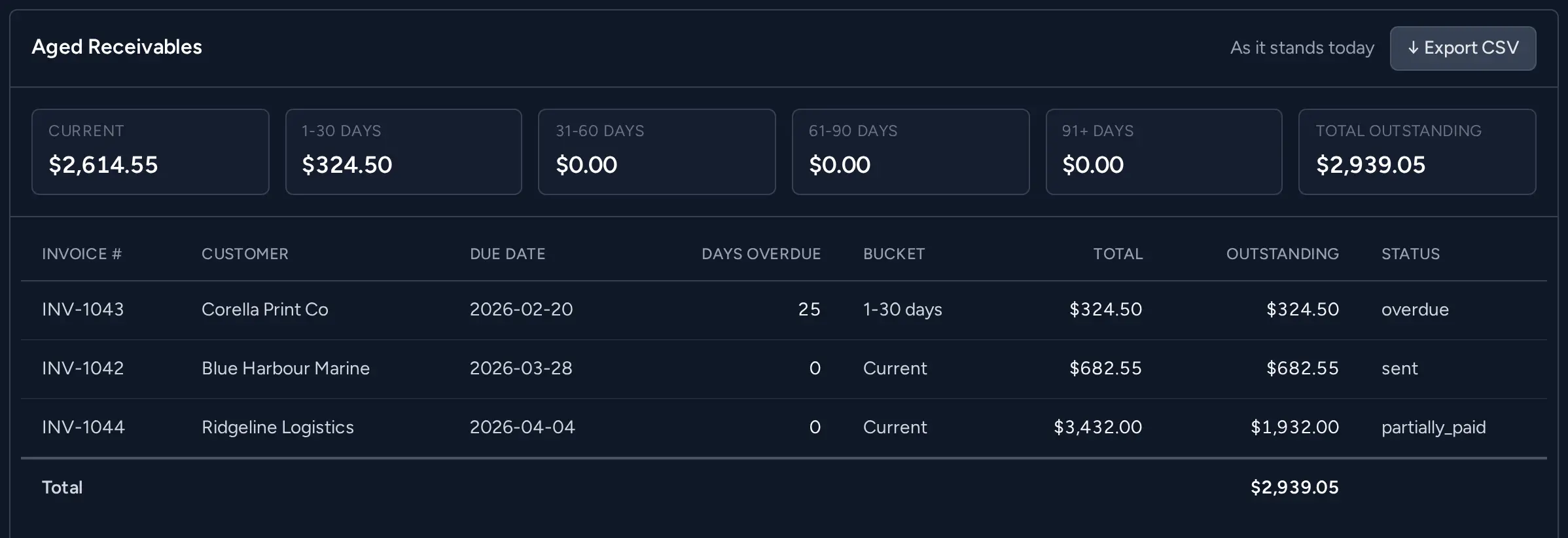
- Aged receivables, revenue and customers by sales rep.
- Scheduled reports by email, or sent straight away when you need one.
- Export to a spreadsheet.
Numbers and porting
Bring your existing numbers across, and add new ones, without paperwork going back and forth.
- Port your numbers in, with the letter of authority signed inside PhoneUs.
- Choose where each number rings once it moves, and it takes calls as soon as it does.
- Local, mobile, 1300 and 1800 numbers.
- Choose which numbers your team calls and texts from.
Security and control
Decide who can see and do what, and keep a record of it.
- Roles that say exactly what each person can do.
- Two-factor sign-in, compulsory for the roles you choose.
- A record of who signed in, and of changes to billing.
- Limits on how many calls and texts can be made, and calls and texts only to Australian numbers.
- Your own deployment, in Australia.
Ask your AI assistant about your customers
Connect your AI assistant to PhoneUs and ask in plain English: what a customer owes, what happened on a call, why a payment did not go through.
- Works with AI assistants such as Claude, through MCP, the open standard for connecting AI to business systems.
- Answers from your real records, about customers, balances, invoices, calls and system health.
- Each person only sees what they could already see in PhoneUs.
- Your assistant can write a text, an email or a campaign as a draft. A person checks it and presses Send.
See it working
We'll show you the parts that matter to your business, on a call or in person.